Unbox the Room






Unbox the Room is a Zen simulator game about unpacking and making cosy living quarters. Several moving phases from 1997 to 2018 follow an unseen woman through the many periods of her life. Her purchases reflect changing interests, relationships, aspirations, and personal achievements. Start by opening the boxes and reading up on her story!
Gameplay: Make room for everyone.
After you finish the first album, The Room's easy gameplay cycle starts right away. The first page, made in May 1997, begins with some cardboard boxes waiting to be opened. The contents of each box have to be carefully put around the space provided. Books are put on shelves, kitchenware is in the kitchen, and clothes go into drawers or wardrobes.
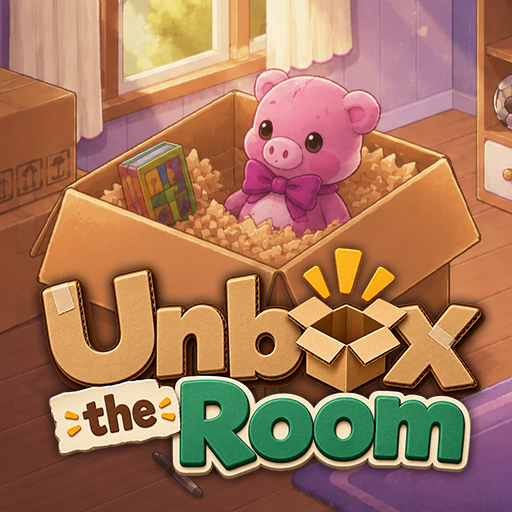
Unbox the Room is a game that lets you put objects in a creative way, but every object has a logical placement concept. In the completion assessment, incorrect placements will turn red, suggesting that something needs to be moved. Each finished room shows another living space and set of objects. There are no timetables, scores, or meters, so the emphasis is on observation and organization and the tranquil enjoyment of making each area feel complete.
Controls
PC
- Left-click: Select an object or engage an interactive item.
- Click and drag to move furniture and objects around the room.
- Keyboard: Type custom text in the event an item has customisation.
Mobile
- Tap to choose objects or trigger possible interactions.
- Tap and Drag: Rearrange your items within the room.
- Virtual Keyboard: Add text to customisable elements when they become available.
Small details make rooms feel real.
- Visual Details: Add a few subtle decorative touches that bring your spaces to life.
- Fun, casual feedback makes every environment feel soft.
Key Features of the Unboxed Room
- Open the boxes, unpack the riddles, one at a time, to reveal what’s within.
- Logical setup: Do it all based on the room and space you have.
- Room Arrangement: Put shelves, cupboards, tables, etc. in order.
- Interactivity: More interactivity and customising by playing with more features.
- Pixel-Art with relaxation: solve organisational problems without time constraints, at your own pace.
Tips for organising rooms
- Start with Big Furniture: Arrange the big pieces first; then it’s easier to fit smaller objects in around them.
- Think of the owner, right? Personal items can tell us about the way the space is supposed to function.
- Utilise Storage: Make use of shelves, drawers, and other storage spaces to keep smaller objects from cluttering visible surfaces.
- If you think of a better strategy later, don't hesitate to move something you wrote down earlier. Feel free to rearrange
- Check Weird Stuff: Some of the items feature small interactive bits or funny surprises that are easy to miss.
Similar Games
- Catdoku is Sudoku with a cute cat theme. Solve the problem by placing the cats on the correct squares on the board, according to the rules of the board.
- Donut Clicker is an idle browser game in which you click a massive doughnut to earn pastries, which you can then use to buy assistants, buildings, and improvements.
Conclusion
Unbox the Room is a soothing simulation game that seamlessly combines spatial puzzle-solving with narration via treasured keepsakes.
The game contains nice pixel visuals and good music composition that helps to create a sense of serenity and fulfilment after completing each sector.
Check out tinyfishing2.io for more fun and chill activities




















Discuss Unbox the Room